> For the complete documentation index, see [llms.txt](https://ccie-sp.gitbook.io/ccie-spv5.1-labs/llms.txt). Markdown versions of documentation pages are available by appending `.md` to page URLs; this page is available as [Markdown](https://ccie-sp.gitbook.io/ccie-spv5.1-labs/labs/mdt/finding-the-correct-yang-model-2.md).
# Finding the correct YANG model #2
Configure MDT using the solution from the first lab:
```
#XR1
telemetry model-driven
destination-group TIG
address-family ipv4 10.100.100.1 port 57500
encoding self-describing-gpb
protocol grpc no-tls
!
!
sensor-group SENSOR1
sensor-path Cisco-IOS-XR-infra-statsd-oper:infra-statistics/interfaces/interface/latest/generic-counters
!
subscription SUB1
sensor-group-id SENSOR1 sample-interval 5000
destination-id TIG
```
Configure a static delay value for Gi0/0/0/0.12 under performance-measurement. Add an additional sensor-path which exports the performance measurement delay for only this interface.
## Answer
```
performance-measurement
interface GigabitEthernet0/0/0/0.12
delay-measurement
advertise-delay 123
!
telemetry model-driven
sensor-group SENSOR1
sensor-path Cisco-IOS-XR-perf-meas-oper:performance-measurement/nodes/node/interfaces/interface-details/interface-detail[interface-name="GigabitEthernet0/0/0/0.12"]/delay-measurement-session/last-advertisement-information/advertised-values/minimum
```
## Explanation
This path is a bit easier to find. First I use **yang-operational** to find the YANG model that contains the show output for performance-measurement:
Next, I limit the output to only interface Gi0/0/0/0.12. This is very similar to limiting the output of the interface’s general statistics we saw in the “Filtering Data using XPATH” lab.
```
Cisco-IOS-XR-perf-meas-oper:performance-measurement/nodes/node/interfaces/interface-details/interface-detail[interface-name="GigabitEthernet0/0/0/0.12"]
```
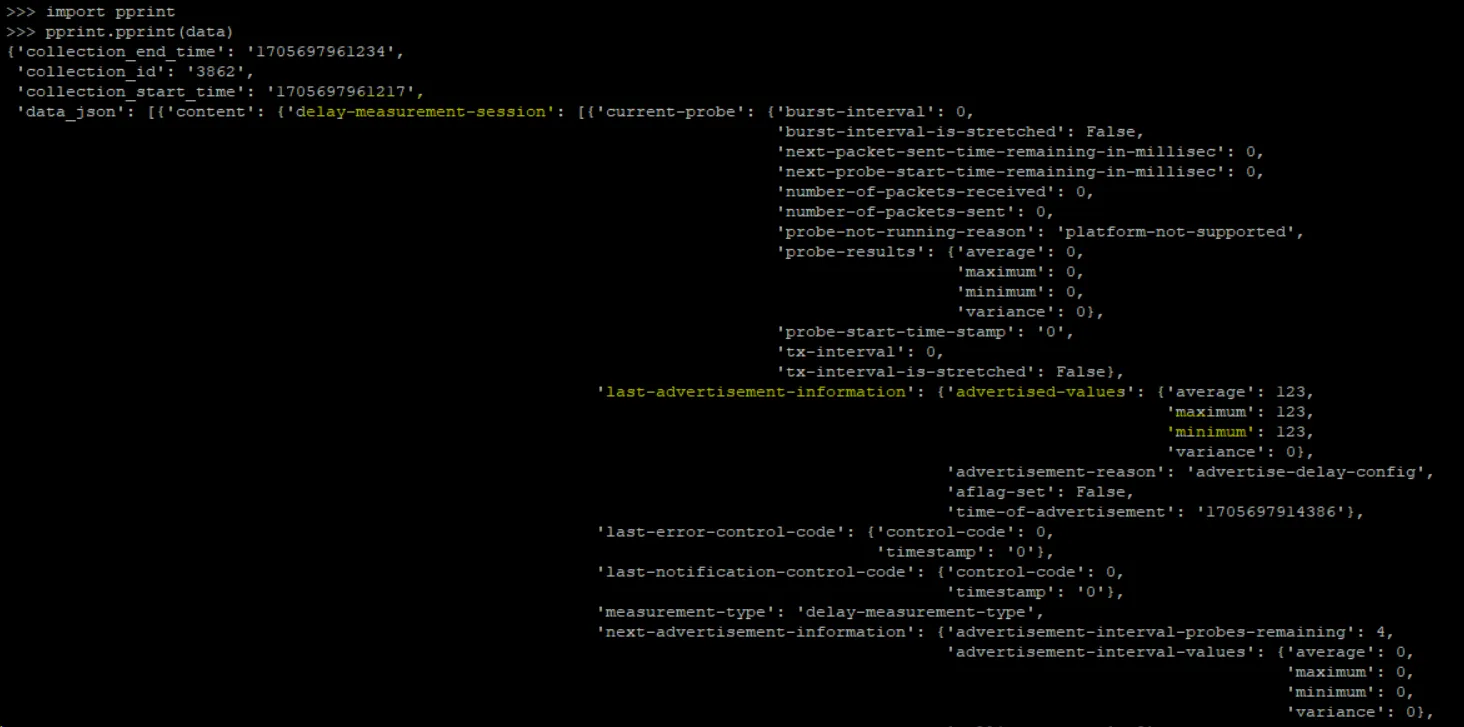
At this point, you can be done with the path. Optionally, you can continue drilling down onto just the minimum advertised value. I found this path by copying and pasting the output from **run mdt\_exec** into python and using pprint.
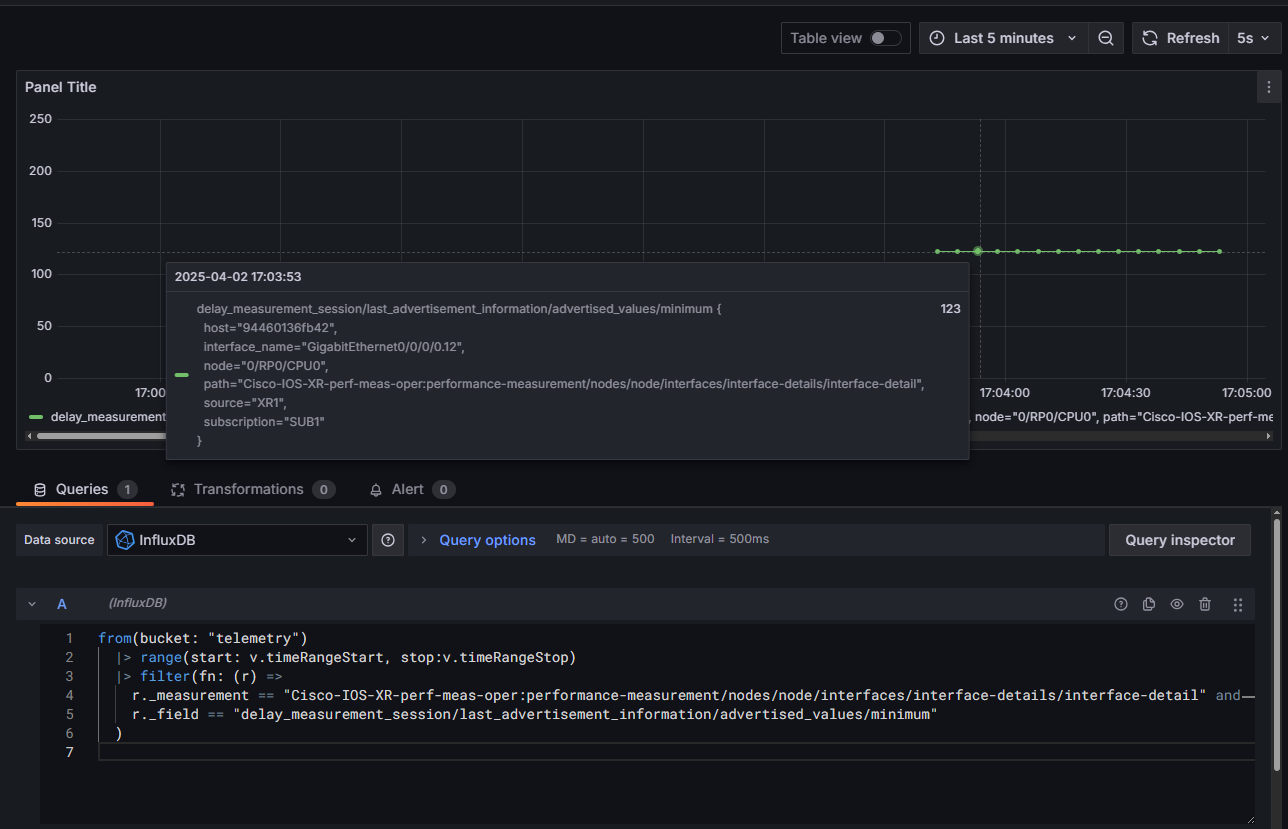
Use the following Grafana query:
```
from(bucket: "telemetry")
|> range(start: v.timeRangeStart, stop:v.timeRangeStop)
|> filter(fn: (r) =>
r._measurement == "Cisco-IOS-XR-perf-meas-oper:performance-measurement/nodes/node/interfaces/interface-details/interface-detail" and
r._field == "delay_measurement_session/last_advertisement_information/advertised_values/minimum"
)
```
You should see the static value of 123: